
Disclosure: This article contains affiliate links. If you sign up through these links, ForthFocus may earn a commission at no extra cost to you. We only recommend tools we have tested or genuinely believe are useful for our readers.
Quick Verdict
WordPress.com is a strong option for business websites in 2026 if you want the power of WordPress with managed hosting, updates, security, backups, performance, and platform maintenance handled for you.
It is useful for first-time business websites, growing brands, content-heavy websites, consultants, creators, publishers, and ecommerce businesses. With the right plan and setup, WordPress.com should not be seen only as a basic website builder. It can support serious business use cases as well.
At ForthFocus, we work with WordPress websites regularly, including business websites, WooCommerce stores, managed WordPress projects, and custom web requirements. For this review, we tested WordPress.com by creating a sample business website and looking at the platform from a practical business point of view.

What We Tested
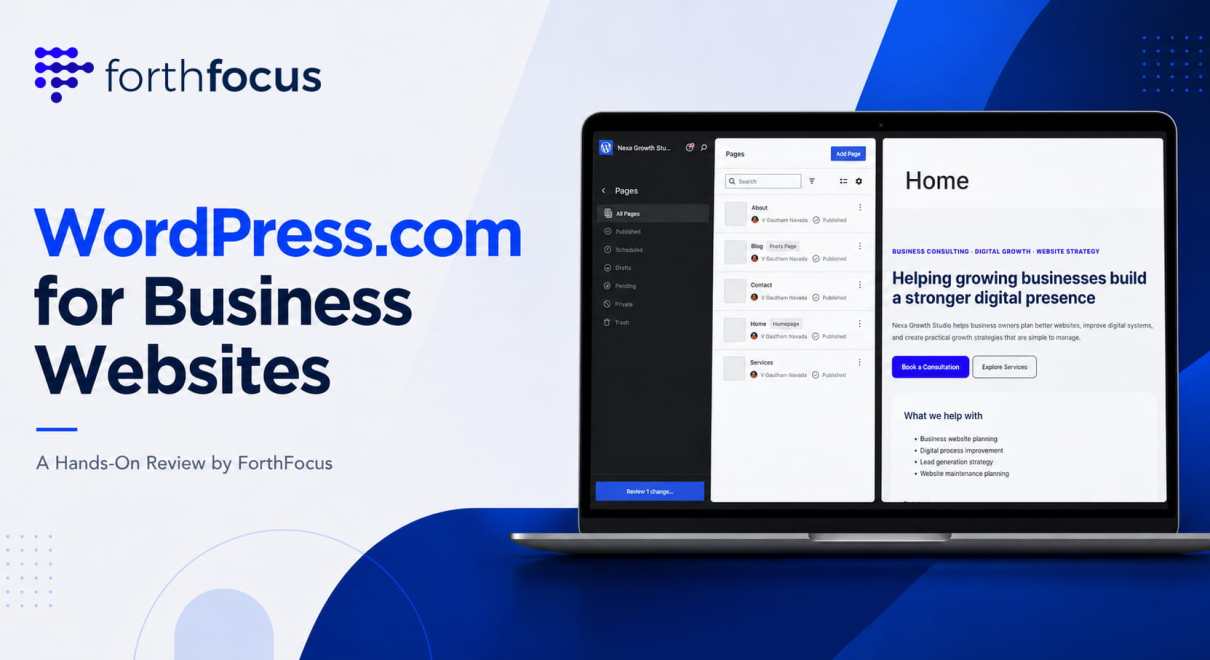
For this hands-on review, we created a simple business website structure on WordPress.com with the type of pages most businesses commonly need:
- Home
- About
- Services
- Blog
- Contact
The goal was to check how WordPress.com performs as a managed platform for businesses that want to create, edit, publish, and grow their website without taking on the full technical responsibility of hosting and maintenance.
During the test, we looked at the setup flow, dashboard experience, page creation, block editor, design controls, pricing, plan fit, and practical considerations for business users.
Setup Experience
The WordPress.com setup process is designed to help users get started without separately buying hosting or manually installing WordPress.
For a business, this is a major advantage.
In a traditional website setup, you may need to think about hosting, SSL, backups, security, updates, performance, themes, plugins, caching, and maintenance from the beginning. With WordPress.com, much of that foundation is already handled.
That makes the starting experience easier for business owners and teams who want to focus first on content, pages, design, and publishing.

Our practical takeaway: WordPress.com is easier to start with when the business wants to build the website first, instead of managing the technical setup behind it.
Dashboard, Editor, and Page Management
Once the site was created, we spent time inside the WordPress.com dashboard and editor.
The dashboard gives access to the key areas a business usually needs, including pages, posts, design, media, settings, and site management. For someone familiar with WordPress, many parts feel natural. For a new user, the managed experience makes the starting point less intimidating than working through hosting control panels and technical settings.
The editor is block-based. This means users can add and arrange sections like headings, paragraphs, images, buttons, columns, and other content blocks without writing code.
For a business homepage, this is useful because most pages follow a section-based structure:
- Hero section
- Short introduction
- Services or offerings
- Testimonials
- Call to action buttons
- Contact information
For a business owner or marketing team, the benefit is clear. After the website is live, small text edits, image changes, blog posts, landing page updates, and content improvements can be handled without depending on a developer for every minor update.
There is still a learning curve. Users who are completely new to WordPress will need some time to understand blocks, patterns, menus, and page structure. But compared with managing hosting and WordPress installation separately, the editing experience is more approachable.
[Screenshot 4: Pages section showing Home, About, Services, Blog, and Contact pages]
Hosting, Updates, Security, and Scale
One of the biggest reasons to consider WordPress.com is that it handles the technical foundation for you.
Hosting, software updates, security, backups, performance, caching, CDN, and infrastructure are not small responsibilities. If these are not handled properly, even a good website can become slow, unstable, or difficult to maintain.
WordPress.com reduces a large part of that burden.
This is useful not only for simple websites but also for serious business websites that need reliability without building and managing their own hosting stack.
At ForthFocus, we have worked with businesses where WordPress.com has supported high-traffic websites and more advanced requirements. We have seen client sites handling around 500,000 to 600,000 monthly visitors, and we have also worked with complex WooCommerce stores running on WordPress.com Business and Commerce plans.
That experience is important because WordPress.com should not be seen only as a beginner website builder or a basic blogging platform. With the right plan, setup, plugins, theme choices, and implementation approach, it can support serious business use cases.
For business owners, the value is clear. You can focus on content, leads, ecommerce, customers, and growth while WordPress.com handles much of the managed hosting and platform layer.

WordPress.com Pricing in 2026
Pricing is an important part of the decision, especially for businesses comparing website platforms, local hosting, agency packages, and managed WordPress solutions.
At the time of preparing this campaign article, the WordPress.com pricing shared in the campaign brief is:
| Plan | Monthly Billing | Annual Billing |
|---|---|---|
| Personal | $9/month | $4/month |
| Premium | $18/month | $8/month |
| Business | $40/month | $25/month |
| Commerce | $70/month | $45/month |
Before choosing a plan, check the latest pricing on WordPress.com because pricing and plan features can change.

Good News for Indian Businesses
One pleasant surprise for Indian users is that WordPress.com may show India-specific pricing in INR when viewed from India.
This is good news for small businesses, consultants, creators, founders, and growing brands in India because the plans can feel much more accessible compared with simply converting global USD pricing. For many Indian businesses, website costs are usually compared with local hosting, freelancer-built websites, and basic agency packages. In that context, localized WordPress.com pricing can make the managed WordPress experience much more attractive.
For this article, we have listed the USD pricing. But if you are based in India, it is worth checking the live WordPress.com pricing page from your own location. You may see INR pricing that makes the plans easier to evaluate for your budget.
Before purchasing, check the final checkout amount, taxes, billing cycle, renewal terms, and the features included in the selected plan. Overall, India-specific pricing is a strong positive for businesses that want WordPress.com’s managed hosting, updates, security, and ease of use without taking on the full technical responsibility of managing their own hosting stack.
Choosing the Right Plan
For many business websites, the right plan depends on what the website needs to do.
If the requirement is a simple website with a custom domain and basic pages, the Personal plan may be enough for some users. If the business needs more design flexibility, advanced customization, integrations, plugins, e-commerce, or more serious growth features, higher plans may make more sense.
For businesses that want a more flexible WordPress.com setup, the Business plan is usually the plan to evaluate seriously. For online selling, the Commerce plan is the relevant option.
The main point is simple: do not choose a plan only based on the lowest monthly cost. Choose it based on what your website needs today and what it may need in the next 6 to 12 months.
What We Liked
WordPress.com has evolved significantly, and it now offers capabilities that are closer to a traditional self-managed WordPress environment than many people may realize.
On eligible paid plans, users can install plugins and use custom themes. This gives businesses more room to extend their websites with additional functionality, design options, integrations, e-commerce features, SEO tools, analytics, forms, and growth-focused workflows.
This is especially important for business websites because requirements rarely stay fixed. A company may start with a simple website and later need landing pages, e-commerce, lead capture, analytics, SEO improvements, marketing integrations, or custom functionality.
What stood out to us is how WordPress.com combines flexibility with convenience. Businesses can use many familiar WordPress capabilities while still benefiting from managed hosting, security, updates, backups, CDN, and ongoing platform maintenance.
Rather than spending time managing infrastructure, teams can focus on content, marketing, customer engagement, sales, and business growth.
For many businesses, this is the real advantage. WordPress.com is not just for launching a basic website. With the right plan and setup, it can also support growing websites, high-traffic content platforms, and WooCommerce stores.
What Businesses Should Consider Before Choosing a Plan
The main trade-off with WordPress.com is not capability. It is plan selection and platform control.
During our review, we did not feel that WordPress.com is limited to basic websites. With the right plan, it can support business websites, content-heavy websites, WooCommerce stores, plugins, custom themes, and growth-focused requirements.
Where businesses need to be careful is in understanding what each plan allows.
For example, a simple business website may be comfortable on a lower plan. But if the website needs plugins, custom themes, ecommerce features, advanced integrations, or more room to scale, the Business or Commerce plan becomes more relevant.
This is not a negative point. It is simply how a managed platform works.
WordPress.com gives you managed hosting, updates, security, backups, CDN, and a simpler website management experience. In return, you are choosing a platform where some advanced features and controls are connected to the plan you select.
For most businesses, this is a fair trade-off because it reduces the technical workload while still keeping the power of WordPress.
However, if a project has very specific server requirements, custom deployment processes, private infrastructure rules, or highly specialized technical workflows, those requirements should be reviewed carefully before choosing the platform.
So the limitation is not that WordPress.com is too basic. The real limitation is choosing the wrong plan or expecting a managed platform to behave exactly like a fully self-managed hosting setup.
For the right business use case, WordPress.com can be both flexible and practical.
Who Should Consider WordPress.com?
WordPress.com is a good fit for users who want a managed WordPress experience and do not want to handle technical maintenance directly.
It is especially suitable for:
- Business websites
- Small and growing businesses
- High-traffic content websites
- Consultants and service providers
- Creators building a portfolio
- Bloggers and publishers
- WooCommerce stores
- Local businesses needing a professional online presence
- Teams that want fewer hosting and maintenance responsibilities
If your website needs pages, blog posts, a custom domain, branding, forms, SEO, analytics, e-commerce, or growth-focused features, WordPress.com is worth evaluating.
It is also useful for people who want the flexibility of WordPress but do not want to manage hosting, updates, security, caching, and server-level maintenance themselves.
Final Verdict
WordPress.com is a strong option for business owners who want a managed, simpler way to build and maintain a WordPress website.
It handles much of the technical foundation, which removes a lot of pressure from the website owner. The dashboard and editor are practical enough for creating standard business pages, publishing content, managing a website, and building a serious online presence.
The important point is this: WordPress.com should not be seen only as a platform for basic websites.
With the right plan and implementation, it can support growing businesses, high-traffic websites, and WooCommerce stores. At ForthFocus, we have seen WordPress.com work well beyond simple brochure websites, including websites with significant monthly traffic and ecommerce requirements.
The trade-off is not capability. The trade-off is choosing the right plan, implementation approach, and level of platform control for your business.
Choose WordPress.com when you want managed WordPress infrastructure, less technical maintenance, and a platform that can support business growth.
The right decision depends on your business model, traffic, e-commerce needs, customization requirements, and how much technical responsibility you want your team to handle.
Frequently Asked Questions
Yes, WordPress.com can be good for business websites that need pages, blog posts, a custom domain, branding, forms, SEO, analytics, ecommerce features, and a managed website experience. It is especially useful for businesses that do not want to manage hosting, updates, backups, security, and performance infrastructure themselves.
No. WordPress.com should not be seen only as a platform for small or basic websites. With the right plan and implementation, it can support business websites, high-traffic content websites, and WooCommerce stores.
Yes. Businesses can run WooCommerce on WordPress.com, especially when using the right plan and setup. At ForthFocus, we have worked with complex WooCommerce stores running on WordPress.com Business and Commerce plans.
The main thing to check is plan fit. Businesses should understand which plan supports their required features, plugins, e-commerce needs, customization level, and growth plans.
WordPress.com may show India-specific pricing in INR when viewed from India. This can be good news for Indian businesses because localized pricing may make the plans easier to evaluate compared with direct USD conversion. Always check the final checkout amount, taxes, billing cycle, renewal terms, and included features before purchasing.
For a simple website, the Personal or Premium plan may be enough. More serious business needs, advanced customization, plugins, integrations, and growth, the Business plan is worth evaluating. For online selling, the Commerce plan is the relevant option.
Need help choosing the right WordPress.com setup for your business?
ForthFocus helps businesses plan, build, and manage WordPress websites, from business websites and content platforms to WooCommerce stores.
As a WordPress.com Agency Partner and Woo Partner, we can help you choose the right plan, setup, and growth path for your website.


2 Comments